

Definition:
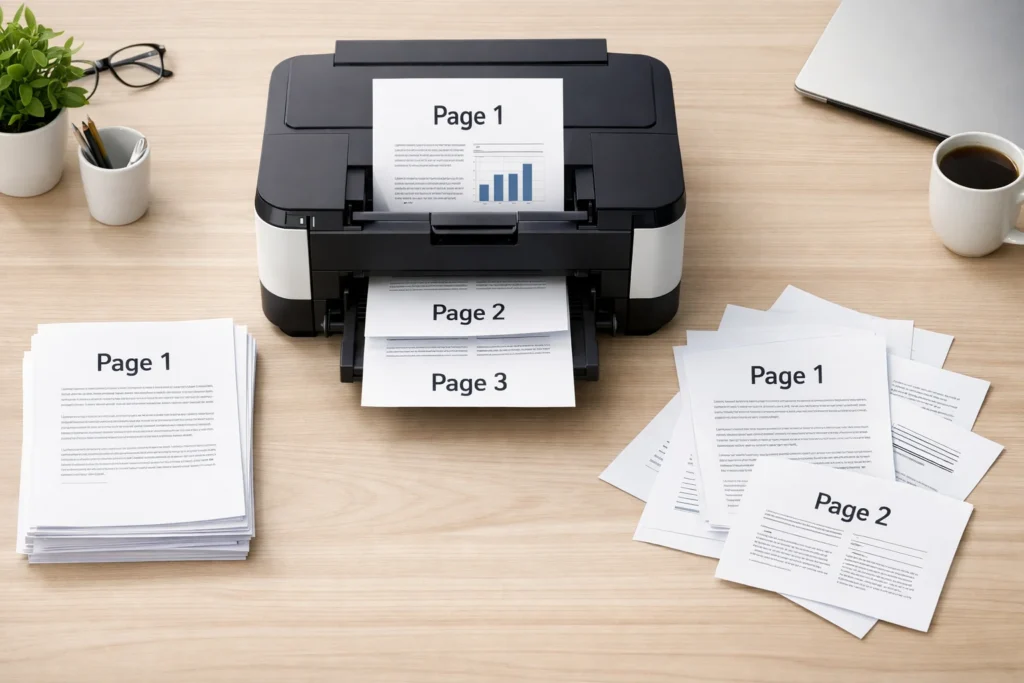
Collate when printing means arranging multiple copies of a multi-page document in the correct sequential order so that each complete set is grouped together (1, 2, 3… then next copy), instead of printing all page 1s, then all page 2s, and so on.
Printing options can sometimes feel confusing, especially when you’re dealing with multiple copies of a document. One of the most commonly misunderstood settings is “collate.” If you’ve ever printed a report, assignment, booklet, or office document and seen the option “collate copies,” you might have wondered what it actually does—and whether you should use it or not.
In this guide, we’ll break everything down in a simple, human-friendly way so you’ll never feel confused again. You’ll learn what collate means when printing, how it works, when to use it, real-life examples, and how it compares to uncollated printing.
What Does Collate Mean When Printing?
When you select collate in printing, you are telling the printer to arrange your pages in complete sets.
Simple explanation:
- If you print 3 copies of a 5-page document:
- Collated printing:
Copy 1 → 1,2,3,4,5
Copy 2 → 1,2,3,4,5
Copy 3 → 1,2,3,4,5 - Uncollated printing:
Page 1 → 3 times
Page 2 → 3 times
Page 3 → 3 times
Page 4 → 3 times
Page 5 → 3 times
- Collated printing:
So basically, collation = organized sets, while uncollated = grouped pages by number.
Origin and Why the Term “Collate” Is Used
The word “collate” comes from the Latin word collatus, meaning “to bring together” or “compare.” Historically, in publishing and printing industries, collating referred to assembling pages of books in correct order before binding.
As printing technology evolved, the term stayed, and today it simply refers to automatic page sorting in printing systems.
Modern printers, photocopiers, and even digital PDF tools still use this term because it helps users control document arrangement easily.
Why Collate Printing Is So Popular
Collate printing is widely used in offices, schools, and businesses because it saves time and reduces confusion.
Here’s why people prefer it:
- ✔ Keeps documents organized automatically
- ✔ Saves manual sorting time
- ✔ Reduces human error
- ✔ Ideal for reports, assignments, and booklets
- ✔ Professional and clean output
Imagine printing a 50-page report in 10 copies without collation—you’d end up with 500 mixed pages that you must sort manually. That’s where collate becomes a lifesaver.
Real-World Usage of Collate in Printing
You’ll see the collate option in:
- Printers (home or office)
- Photocopy machines
- PDF print settings
- Online print services
- Microsoft Word / Google Docs print menus
It is especially useful in:
- School assignments
- Office reports
- Training manuals
- Event programs
- Book printing drafts
Collated vs Uncollated Printing (Important Comparison)
Here’s a clear breakdown:
| Feature | Collated Printing | Uncollated Printing |
|---|---|---|
| Page Order | Complete sets in sequence | Pages grouped by number |
| Example | 1-2-3, 1-2-3 | 1-1-1, 2-2-2 |
| Organization | High | Low |
| Manual Sorting Needed | No | Yes |
| Best For | Reports, booklets, documents | Bulk single-page handouts |
| Time Saving | Yes | No |
Quick memory trick:
- Collated = Complete sets
- Uncollated = Repeated pages
Examples of Collate in Action
Let’s make it super clear with examples.
Example 1: School Assignment
You print 4 copies of a 10-page assignment.
- Collated:
- Copy 1 → Page 1 to 10
- Copy 2 → Page 1 to 10
- Copy 3 → Page 1 to 10
- Copy 4 → Page 1 to 10
- Uncollated:
- Page 1 → 4 times
- Page 2 → 4 times
- …and so on
Example 2: Office Report
If your manager asks for 5 printed reports:
- Collated = ready-to-use complete reports
- Uncollated = you must manually sort each report
Example 3: Event Booklets
Event organizers almost always use collated printing so that:
- Each booklet is complete and ready to distribute
- No page mixing happens during distribution
When Should You Use Collate?
Use collate printing when:
- You are printing multi-page documents
- You need multiple copies of the same file
- You want ready-to-use sets
- You are preparing reports, books, or notes
Avoid collate when:
- You only want single-page prints in bulk
- You are printing flyers or posters (same page repeated)
- You plan to manually arrange pages
Advantages of Collate Printing
Here are the major benefits:
1. Saves Time
No need to sort pages manually after printing.
2. Reduces Mistakes
Pages don’t get mixed up.
3. Professional Output
Documents look organized and ready to distribute.
4. Efficient for Large Jobs
Perfect for offices and bulk printing tasks.
Disadvantages of Collate Printing
Even though it’s useful, there are a few limitations:
- Slightly slower in some printers (due to sorting process)
- Not ideal for single-page bulk prints
- Can confuse beginners if misunderstood
Related Terms You Should Know
1. Duplex Printing
Printing on both sides of the paper.
2. Pagination
Numbering pages in correct order.
3. Print Queue
List of documents waiting to be printed.
4. Copies Setting
Number of duplicates printed.
Alternative Words or Polite Terms
While “collate” is standard, you might also hear:
- “Sort pages”
- “Arrange in order”
- “Page sequence printing”
- “Set-wise printing”
These are not official printer terms but help explain the idea in simple language.
Common Mistakes People Make
- Thinking collate changes page content (it doesn’t)
- Assuming it affects print quality (it doesn’t)
- Confusing it with double-sided printing
- Not checking preview before printing
FAQs
1. What does collate mean in simple words?
It means printing pages in complete, ordered sets instead of grouped pages.
2. Should I select collate when printing?
Yes, if you are printing multiple copies of a multi-page document.
3. What happens if I don’t collate?
Pages will be printed grouped by number, requiring manual sorting.
4. Does collate affect printing speed?
Slightly, but usually the difference is minimal.
5. Is collate the default setting?
Most printers set collate ON by default.
6. What is the difference between collate and uncollate?
Collate prints complete sets; uncollate prints repeated pages together.
7. Can I collate PDF files?
Yes, most PDF viewers have a collate option in print settings.
8. Is collate useful for single-page printing?
No, it only matters for multi-page documents with multiple copies.
Conclusion
Understanding what does collate mean when printing can save you time, effort, and confusion—especially when handling multi-page documents.
To summarize:
- Collate = complete ordered sets
- Uncollated = grouped identical pages
- Use collate for reports, assignments, and professional documents
- Avoid it for simple bulk single-page printing
Once you get used to it, collate becomes one of the most helpful printing options in your workflow.
Discover More Related Articles:
- What does similar mean in math: Complete Beginner’s Guide In 2026
- A Bed Bug Look Like: Size, Shape & Color In 2026