
Definition
An n8n module (commonly referred to as a node in n8n) is a building block within the n8n automation platform that performs a specific task such as sending data, connecting to an API, transforming information, or triggering workflows.
If you’ve ever wished your apps could talk to each other without manual effort like automatically saving email attachments to Google Drive or posting updates across platforms then tools like n8n make it possible. At the heart of this system are n8n modules, the core components that power every workflow.
Whether you’re a developer, marketer, or business owner, understanding n8n modules can help you automate repetitive tasks, save time, and scale operations efficiently. In this guide, you’ll learn exactly what n8n modules are, how they work, and how to use them effectively.
Origin and Popularity of n8n Modules
Where Does n8n Come From?
n8n (short for “node-to-node”) is an open-source workflow automation tool created to provide flexibility and control compared to traditional automation platforms like Zapier.
Why n8n Became Popular
n8n has gained traction because:
- It’s open-source (you can self-host it)
- It allows custom coding alongside visual workflows
- It supports hundreds of integrations
- It gives full control over data
As automation demand grows, n8n modules (nodes) have become essential tools for building complex workflows without needing advanced programming skills.
What Exactly Is an n8n Module?
In simple terms, an n8n module is a single action or function within a workflow.
Think of it like this:
- A workflow = a complete automation process
- A module (node) = one step in that process
Key Characteristics of n8n Modules
- Perform one specific task
- Can send, receive, or transform data
- Connect with other modules
- Can be reused in multiple workflows
Types of n8n Modules
n8n modules are categorized based on their role in a workflow:
1. Trigger Modules
These start the workflow.
Examples:
- Webhook trigger
- Cron (scheduled trigger)
- App-based triggers (e.g., new email)
👉 Tone: Neutral, functional
Example: “Start workflow when a new order is received.”
2. Action Modules
These perform tasks after a trigger.
Examples:
- Send email
- Create a database record
- Post to social media
👉 Tone: Friendly or neutral
Example: “Automatically send a thank-you email 😊”
3. Data Transformation Modules
These modify or process data.
Examples:
- Set node (edit fields)
- Function node (custom JavaScript)
- Merge node
👉 Tone: Technical or neutral
Example: “Format user data before sending to CRM.”
4. Integration Modules
These connect to external services.
Examples:
- Google Sheets
- Slack
- Shopify
- APIs
👉 Tone: Professional
Example: “Sync customer data across platforms.”
How n8n Modules Work Together
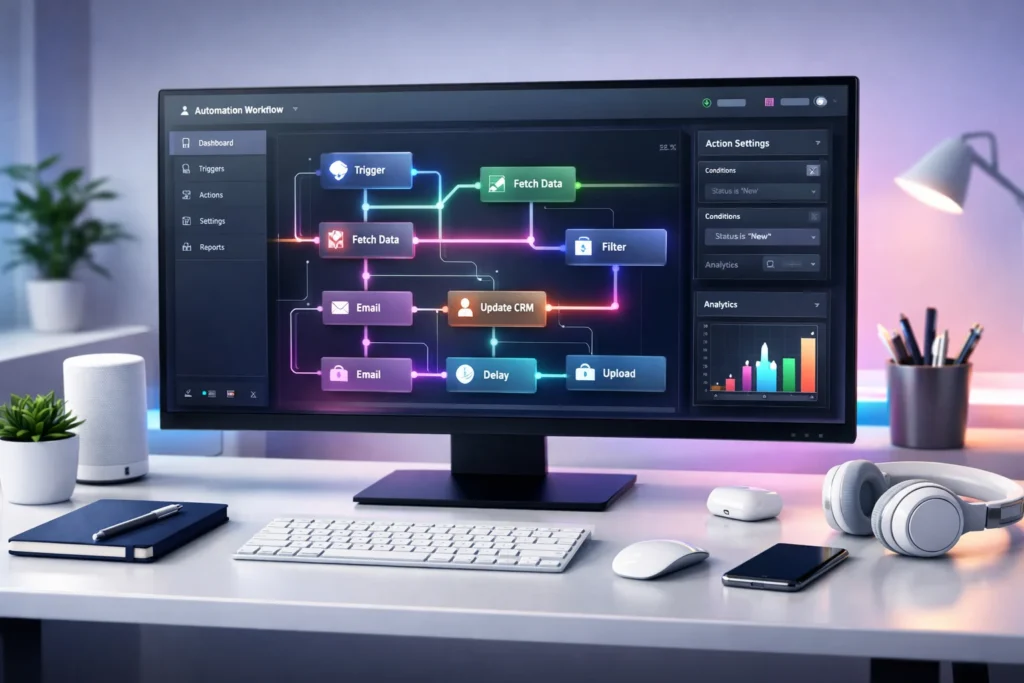
Modules in n8n are connected visually to form workflows. Data flows from one module to another.
Simple Workflow Example:
- Trigger: New form submission
- Module: Format data
- Module: Send email
- Module: Save to database
Each module handles a step, making the process seamless.
Real-World Use Cases of n8n Modules
Here’s how businesses and individuals use n8n modules:
1. Marketing Automation
- Send follow-up emails automatically
- Post content across platforms
2. E-commerce
- Update inventory
- Notify customers about orders
3. Data Syncing
- Sync CRM and databases
- Backup files automatically
4. Personal Productivity
- Manage tasks
- Automate reminders
Example Table: Common n8n Modules and Their Functions
| Module Name | Type | Function Description | Example Use Case |
|---|---|---|---|
| Webhook | Trigger | Starts workflow from external request | Receive form data |
| Cron | Trigger | Runs workflows on schedule | Daily report automation |
| HTTP Request | Action | Sends/receives API data | Fetch data from external API |
| Set | Data Processing | Modifies or sets values | Clean user input |
| Function | Data Processing | Executes custom JavaScript | Advanced logic handling |
| Slack | Integration | Sends messages to Slack | Team notifications |
| Google Sheets | Integration | Reads/writes spreadsheet data | Store leads |
Examples of n8n Module Usage
Friendly Tone 😊
“Send a welcome email when a new user signs up!”
Neutral Tone
“Store submitted data in a database for future processing.”
Slightly Dismissive/Strict Tone
“Reject incomplete form submissions and log errors.”
Comparison: n8n Modules vs Similar Concepts
| Feature | n8n Module (Node) | Zapier Action | Make (Integromat) Module |
|---|---|---|---|
| Custom Coding | Yes | Limited | Yes |
| Open Source | Yes | No | No |
| Flexibility | High | Medium | High |
| Hosting Options | Self-hosted | Cloud only | Cloud |
| Cost Efficiency | High | Lower | Medium |
Alternate Meanings of “n8n Module”
While “n8n module” usually refers to nodes in workflows, it may occasionally mean:
- Custom-built extensions in n8n
- Community-created integrations
- API-based reusable components
However, the most widely accepted meaning remains: workflow nodes.
Best Practices for Using n8n Modules
To get the most out of n8n modules:
- Keep workflows simple and organized
- Use clear naming conventions
- Avoid unnecessary complexity
- Test modules individually
- Use error handling nodes
Professional Alternatives or Similar Tools
If n8n doesn’t fit your needs, consider:
- Zapier (beginner-friendly)
- Make (advanced visual automation)
- Microsoft Power Automate
- Apache Airflow (for data engineering)
FAQs
1. What is the difference between an n8n module and a node?
They are essentially the same “node” is the official term, while “module” is used informally.
2. How many modules are available in n8n?
n8n supports hundreds of built-in and community modules, with new ones added regularly.
3. Can I create custom n8n modules?
Yes, developers can create custom nodes using JavaScript.
4. Are n8n modules free to use?
Yes, especially if you self-host n8n. Some cloud services may have pricing tiers.
5. Do I need coding skills to use n8n modules?
No, basic workflows require no coding, but advanced features may use JavaScript.
6. What is the most commonly used n8n module?
Webhook, HTTP Request, and Set nodes are among the most widely used.
7. Can n8n modules handle large data?
Yes, but performance depends on hosting and workflow design.
8. Is n8n better than Zapier?
It depends n8n offers more flexibility, while Zapier is easier for beginners.
Conclusion:
n8n modules are the backbone of workflow automation in n8n. By combining these small, powerful components, you can build highly efficient systems that automate repetitive tasks, reduce errors, and improve productivity.
Whether you’re automating business processes or simplifying personal tasks, mastering n8n modules is a valuable skill in today’s digital world.
Discover More Related Articles:
- “En” Mean in Spanish: How “En” Differs From “Sobre” in 2026
- What Does NT Mean in Gaming?: Ranked Matches in 2026